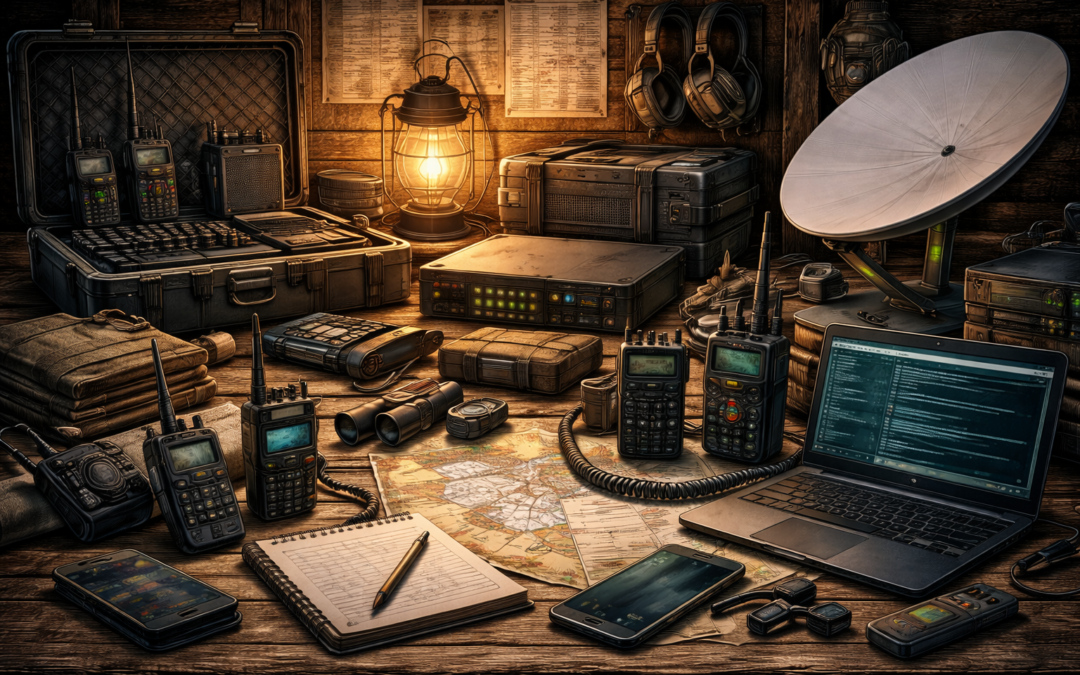
Before we discuss crisis communication, let’s consider how to better protect information in everyday life.
Pretty much anything I write about securing your cell phone or internet communication today is subject to change tomorrow. So, I will touch on a couple of topics in general terms, but more importantly, I recommend you look at Micheal Bazzell’s site for two reasons.
One, he is an expert in his field, having served 20 years in the US Government, much of that time on the FBI’s Cyber Crimes Task Force. Two, once you buy a digital product from him, you get free updates for life.
A Virtual Private Network (VPN) is a service that allows you to protect the actual IP address of your modem and prevents your Internet Service Provider (ISP) from seeing your Internet activity. A VPN also makes it appear that your computer is in the location of the VPN server. This can be helpful if the activity you want to do online is blocked in your current location. Last year, I was in Belize, and a comedy special came out on Netflix. When I tried to watch it through the standard wifi connection, it said the “service was not available in your area.” I used the VPN on my phone, connected to a US server, and watched the show.
A VPN can be installed on each computer and mobile device or on the router to protect all devices that use that router.
Some things to consider when choosing a VPN are; no logging – they can’t give away information if they never collect it, open source – code can be audited and verified, and jurisdiction – what are the privacy laws where the company resides. Right now, I use Proton VPN out of Switzerland.
A hardware firewall will protect all the devices in your home, including all those internet-of-things appliances, mobile devices, computers, and media. The hardware firewall should be set up with a router connected to a secure port, and everything that goes through that port is automatically routed through your VPN. However, you may want a second non-secure router connected to another port in order to enable streaming and gaming if they fail to function when routed through the VPN.
Protectli Vault hardware firewalls can be set up in this manner. They can also be configured with a cell phone modem to function as a backup if the internet goes down. They can run open-source pfSence firewall software.
The Domain Naming System (DNS) is a server that converts an address you understand, such as www.yahoo.com, into an address the internet understands, such as 206.190.36.45. When a DNS server makes this match, it is recorded on a log. By default, you likely use your ISP’s or your VPN’s DNS server.
One choice is to use DNS servers provided by NextDNS (nextdns.io) to prevent logs of all your website visits. They provide two free DNS servers. If you set up a free account, you can add filtering to block spam and related content. If you exceed 300,000 sites a month, you will need to go to their paid service.
When it comes to wireless routers, let’s start with the Service Set Identifier (SSID) you choose. You know, the name of the router, such as “Bob’s Wi-Fi” or, a favorite from one of my neighbors, “FBI surveillance vehicle.” The SSID is the name your wireless router uses for your devices to connect to it. It is broadcast by default, but you should be able to turn off the broadcast feature, so someone would have to know your SSID to search for it.
When the cars that video streets for applications like Google Earth drive around filming, they also catalog wifi SSIDs and the associated addresses. Supposedly, adding _optout_nomap to the end of your SSID will tell them not to record your data. Maybe. Good luck.
When it comes to web browsers, I recommend using Firefox and selecting DuckDuckGo as the default search engine. Disable all homepage, alerts, and autofill services. “Block new requests.” for location, camera, notifications, and virtual reality. Select “clear history when Firefox closes.” Uncheck all deceptive content and dangerous software protection options.
Amazon Sidewalk shares your home Wi-Fi with Amazon devices such as Tile trackers and other Sidewalk-enabled devices with nearby Amazon customers. If you have an Echo or Ring device, you can disable sharing under account settings. If you have both, you may need to disable it in both apps.
Your operating system and probably every app or program on your computer is reporting your activities. Glasswire for Windows and Little Snitch for iOS are network monitors that allow you to choose what gets reported. You will receive a notification when a program tries to report on you. You decide what goes out and what does not. When you first install these programs, you will be overwhelmed by how many reports are going out. But once you get your rules in place, the notifications will slow down dramatically. If you break a service you want, just change that rule to allow the data to transfer.
A password manager encrypts your passwords and offers randomized strong passwords. I have been happy with Bitwarden as a password manager in the past. I have also used Ironvest to generate random email addresses, phone numbers, and Visa gift cards for online purchases. If an email starts receiving spam, you just delete it, the same goes for the phone, and the Visa gift cards are single-use. That way, your true information is never shared with the internet at large. However, now I use Proton Pass, which combines all these functions.
Crisis Communication
When it comes to crisis communication, we have two goals: to receive information about the event, its effects, and the response and to have two-way communication with family, friends, employment, co-workers, and emergency services.
Normally, we would address both of these concerns at once with a cell phone. If the power is down, cell towers automatically switch to batteries. If the crisis is only a few hours long, then service may not be interrupted at all. However, the longer the power outage, the greater the chances are that our cell phones will not be able to communicate.
The other concern with our cell phones is during a crisis, everyone will be trying to call each other at once, and the lines can be congested, and calls may fail to go through. Texting uses far less bandwidth and is more likely to go through. Plan to text message family members to coordinate. Because power may be spotty in different areas, you should also plan to text someone outside of your area. For example, if anyone can’t get through by phone, send a text, but also send a text to grandma out of the affected area. Then Grandma can pass along the information. Additionally, many city and county emergency offices have a service to text message emergency information out to citizens who want it.
Without the Internet, the best source of information would be local radio and TV stations. Usually, they are able to operate on generators for several days in an emergency. During Hurricane Hugo, we would listen to the radio in the car to get daily updates. Modern TVs will need an HDTV antenna to receive digital broadcasts. They are cheap, easy to install, and, in most areas, receive dozens of stations.
In addition to a regular radio in your home, you may want to have a short-wave radio to receive AM broadcasts since they travel further and NOAA weather information. The National Oceanic and Atmospheric Agency continuously broadcasts weather information on several frequencies.
Starlink
The best communications backup currently available is Starlink. This constellation of satellites provides high-speed internet services. You can get an ongoing subscription for your home or an RV subscription that you can turn on or off from month to month. The upfront equipment costs are about $500, and the subscription is $150 a month. If you have a phone app on your computer or Wi-Fi calling enabled on your phone, then you have internet and phone services.
Practical Radios
You will also want handheld radios to coordinate cleanup or security activities around the home. The four practical solutions are the Family Radio Service (FRS), General Mobile Radio Service (GMRS), Citizen’s Band (CB), and Multi-Use Radio Service (MURS) radios.
FRS radios are the cheap radios you can get in a two-pack or four-pack at stores such as Walmart. The antennas are not removable, the power is limited to 2 watts, and they have 22 channels. Many models have tones that are advertised as privacy codes. If you have 22 channels and 121 tones then there are 2662 combinations. So, while they do not physically exclude anyone else from hearing your communication, the outside party must be diligent or lucky to guess your combination. The low-power UHF signal, and therefore the very short range of these radios, is both an advantage and a disadvantage. The advantage is that the range is fine for most around-the-house or property activities but does not transmit so far that people in the broader area can hear you. The disadvantage is that they will not support communication if someone has to go very far from the property.
GMRS radios can do everything FRS can, only better. They have more power at 5 watts; therefore, they generally have more range, but you can choose to use less power. Many models also receive the NOAA weather broadcasts and sometimes have more privacy tones than FRS models. The antennas are removable, and the 16 main frequencies can be amplified up to 50 watts. This allows you to get your feet wet with various antenna and power configurations to suit your needs. GMRS radios also have the ability to use repeaters to expand your range. They require a $35 per family license that is good for 10 years.
Unlike the FRS/GMRS, which have clear but short-range UHF signals, CB uses a 27 MHz HF signal, which is not as clear but increases your range. CB radios are limited to 4 watts AM and 12 watts FM. Truckers mostly use CB; however, many trucking companies have switched to business-class radio. Channel 19 is a standard traveling channel. Channel 9 is reserved for emergencies. No license is needed. For around-the-home disaster use, GMRS is a better choice. CB may have some additional value for gathering information by listening to truckers communicating.
MURS operates on the VHF band between CB and FRS/GMRS and is limited to 2 watts. But even with this low wattage, you may get a better range than with FRS/GMRS based on the characteristics of the frequency band. It can use external antennas with privacy codes similar to FRS/GMRS.
Amateur Radio
Amateur Radio (HAM) is different in that instead of having specific channels, it has bands of frequencies spanning the HF, VHF, and UHF bands. Depending on the radio used, you can have everything from short-range line-of-site radios to long-range radios that can talk around the world.
Pricing varies greatly depending on the systems’ capabilities. At the low end, inexpensive handheld radios can also communicate with FRS/GMRS radios. Long-range systems are more expensive.
The short-range VHF/UHF systems’ range can be greatly increased through the use of repeaters, a series of repeaters, or bridging to the Internet. But to use these systems during an emergency, those additional systems have to be up and running.
Long-range HF systems do not rely on repeaters or the Internet. Instead, they bounce signals off the ionosphere to distant stations around the world. Learning how to do this is an art.
These systems have a variety of techniques, modes, and equipment available, making them very adaptable to a wide range of needs.
All amateur radios require a license. There are three levels available in the United States. The tests themselves are multiple-choice and are basically just a barrier to entry. This is because the information memorized for the tests does very little in the practical sense to prepare you to use the radios meaningfully.
Digital Communications
Increasingly, digital communication is replacing voice, especially for amateur radio systems. The ranges for which digital systems are reliable are usually greater than for voice communication. Here are a few examples of digital protocols I like.
Digital Mobile Radio (DMR) is a digital protocol that uses DMR Repeaters, hotspots, and repeaters connected to the internet. Internet signals would then be linked to a hotspot or repeater on the other end and transmitted to another DMR radio. They also employ talkgroups. Think of talkgroups like a group text message where you just see your conversation instead of all the conversations going over that frequency at once.
Fast Light Digital (fldigi) is a set of protocols that allow a computer or tablet to send digital traffic such as file transfers, emails, images, and messaging over amateur radios without having to use the Internet. It can also use pre-formatted forms to standardize information.
JS8Call is a protocol that allows keyboard-to-keyboard communications with automated replies despite challenging conditions or low power. The software uses Callgroups to send messages to specific groups of users. It can also function as a mailbox or relay to send information to other users. It sends out pings called heartbeats to announce you are on the air and ask if anyone is holding information for you.
While there are plenty of other modes and protocols available, this will give you an idea of their capabilities.
Currently, your computer constantly updates the time when it touches the internet. But if power goes down, the longer you go without the internet, the more the time on your computer will drift. Digital protocols rely on accurate time to function. If your time drifts too far, you will lose digital communications. Two other ways to keep your computer in time are to install either a GPS receiver or an atomic clock receiver. Both are cheap and easy to use.
Frequency and Antenna Propagation
Ultra-high frequency (UHF) signals are the clearest for the types of radios listed above. The downside to UHF is that the signal is limited to line-of-sight and easily blocked. However, it is a great band for communication with aircraft, ships, or satellites.
If you are trying to communicate to a group of people on the ground who are relatively close by, it may also be a good choice because the signal will not travel very far on the ground. It will be harder for others to intercept and listen to your signal or triangulate and discover your location.
Antennas for signals in the UHF band will be very short, usually only a couple of inches.
Very High Frequency (VHF) is still relatively clear. It is generally line-of-sight, but because it is a lower band of frequencies, it has some reflective qualities. The line-of-sight plus the partial reflective qualities are referred to as a ground wave because it better follows the contour of the earth and gives better communication in and around buildings.
This band is the workhorse for most small team communications. Wire antennas are a couple of feet long. Several versions of mobile antennas are available for the band. Often, a portion of the antenna is tightly coiled to reduce the overall length of the antenna to make it more mobile. The most common field expedient antenna I used for this band in the military was a Field Expedient 292, also called a Jungle Antenna.
High-frequency (HF) signals are different because the ionosphere reflects them back down to earth and bounces them again off the surface like a giant pinball game. Often, these waves travel far enough to give you worldwide communications. But it’s not that straightforward at first.
Because they are bouncing, there are skip zones where you cannot communicate. The art of HF is learning to hit specific spots on the earth to contact specific stations taking into consideration frequency, time of day, space weather, power, takeoff angle, etc.. In the early 1990s, I was in a unit that frequently worked out of Roosevelt Roads, Puerto Rico. One of our duties was to provide targeting information for ships to qualify for Naval Gunfire. This was the ability to hit land targets while the ship was in motion. Another of our duties was to provide targeting information for Navy and Marine pilots to qualify for Alpha Strikes and Close Air Support.
So, to do this job, we had to maintain a variety of HF, VHF, and UHF comms. We would build separate HF antennas for each long-range location we had to hit. We would have one aimed at Camp Lejeune, NC, Fort Bragg, NC, Naval Station Norfolk, VA, and MacDill Air Force Base, FL. These were usually end-fed sloper antennas.
Because the ships were in motion but within a couple hundred miles, we used an NVIS (Near Vertical Incidence Skywave) antenna for them. This is when you shoot your signal almost straight up, and the signal comes back down and saturates the area around you. Then, we would simply change which antenna we used based on who we had to contact.
In 1991, in Iraq, we needed an HF net between Zakho and Dahuk. The distance was only about 60 miles, but there was a mountain ridge in between. To get over the ridge, we used a full-wavelength vertical half-rhombic with a resistor to make it more directional. On the ridge itself, there was a radio tower. We used the existing tower to set up a VHF repeater to support the patrols traveling between the two camps.
During an urban training exercise, we needed to set up a covert HF net from an apartment to a ship offshore beyond the horizon. We picked a room that faced the ocean and made a giant half-wave-length wire antenna and put it on the walls in a giant U with the open portion facing the window/ocean. We grounded the radio to the ground on the electric wall sockets. We went into the next room, put up a zig-zagged wire on the wall, and grounded it to an electric socket. This was to create a counterpoise or reflector to make our signal travel more in the intended direction.
I can’t say for sure that everything we did worked exactly as we intended. But I can say we had reliable HF comm with the ship the entire time. When it comes to antennas, getting out there and experimenting is absolutely necessary to having the confidence and skill to try things on the fly.
Eventually, as satellite (UHF) systems became more available, they largely displaced our use of HF. But in the 90s, your value as a scout or radio operator largely depended on your skill with long-range communications. It didn’t matter how good your snooping and pooping was if you could not get the information back in a timely manner.
Procedures
I went in the Marine Corps in 1989. November 9th was the only time I remember Boot Camp training being interrupted. They wheeled televisions into the squad bay for us to watch the Berlin Wall come down.
From Basic Training at Parris Island, I went to Camp Geiger, NC, to the School of Infantry, and then to 29 Palms, California, for Communications School. Radio Communications was my first Military Occupational Specialty (MOS). My first unit was an infantry battalion, and I arrived there in the summer of 1990. My time there was split between infantry line companies and the Tactical Air Control Party (TACP), requesting and directing Close Air Support and Landing Zone preparation for Helicopter Assaults/Raids/Resupply.
During this period in the 1990s, the training centered around two major themes. The first was still a Cold War orientation towards Russia. The second was the emerging threats of Low-Intensity Conflicts, also referred to at the time as the Three Block War.
The threat of fighting what we call today a Near-Peer adversary, meaning a competent modern military with electronic surveillance and direction-finding capabilities, meant we strictly adhered to practices to minimize the interception of our signals.
The Three-Block War was based on the belief that in the absence of the Soviet Union, we were more likely to engage in combat operations on one block, stability and security operations on the next, and humanitarian aid delivery on the third. To meet these demands, communications had to be flexible and rapidly deployable.
As the military adopted more modern radio systems and threats became less about nations and more about terror groups, practices started to change. Radios with integrated encryption made the use of brevity codes less important. The ability to hop between many frequencies during a transmission made transmissions longer. The increased availability of satellite communications made the art and science of long-range radio communications start to fade.
But for you, not having the support of government assets, your communications today look a lot more like the military communications in the 1990s. The procedures used during that period are likely to be helpful today. Lets look at a few examples.
Communications Planning
Communications planning begins with developing the Signals Operating Instruction (SOI). These are the frequencies, callsigns, times, encryption, and authentication procedures used to establish and maintain communications. It may also be incorporated into a Communication-Electronics Operating Instruction (CEOI), which gives additional information for things like GPS, laser designators, and various computer systems.
I want you to be familiar with the terms because they pop up in radio reference material. But for our purposes, these will be super-scaled-down and straightforward.
The most basic setup for your radio is to communicate using a single frequency. This is called simplex. If you are using GMRS, you can also add a privacy code to help obscure your communication. The advantage of this is that it is easy to get people without a lot of radio experience up and running quickly and that they are more likely to communicate reliably.
Remember if you are asking people to use a communication device other than their cell phone then there has to be a damn good compelling reason to do so, and it has to be easy.
With just a little training and practice, you can move up to duplex communication. This is when you use two frequencies at once. You are able to transmit on one while listening on another. It is similar to what you are used to with a cell phone…. sort of. Cell phone towers and related infrastructure do a lot behind the scenes to manage the communications you are used to. You won’t have access to all that.
So, here is how we can break it down for our use. The Base/Control Station (someone in charge) will transmit on Frequency A and receive on Frequency B. All other stations will transmit on B and receive on A. This has the added advantage that if an outside party is listening, they would need to listen on both frequencies to hear the whole conversation.
These are just examples to show the difference between simplex and duplex communication. If you are working around your property and everyone is accounted for, then the radio may be your Primary and Alternate comms, and the cell phone may be the contingency. Nothing is set in stone here. You need your plan to work for you in your circumstances.
With either of these approaches you will run into the problem of two or more people trying to talk at once and one person’s signal blocks the other. To make it worse they may not even be able to tell it is happening. Consider this. Team 1 is one mile east of the Base station. Team 2 is three miles west of the Base Station. Because Team 1 is further away than the Base Station and may also have some terrain masking the signals, they may not be able to hear Team 2 at all. If both Teams try to transmit simultaneously, Team 1, being closer to the Base Station, may “step on” Team 2’s transmission, which may never be heard.
Stepping On A Signal
To manage this, the Base Station may use a Directed Net. A Directed Net is when one station directs the other stations when to transmit. In the previous example, the Base Station would contact Team 1 and direct them to pass their radio traffic. Then, it would contact Team 2 to do the same. This way, all the traffic would get passed even though the two teams may not be able to hear each other. The Base Station can also pass along any information relevant to the other team.
Notice how brief these two exchanges are. Not all traffic will be that brief, but you want it be as concise as possible for a few reasons.
The first is the clarity of the information. To ensure everyone understands the message, the military uses specific message formats, prowords that are easy to distinguish even with static, and brevity codes to summarize specific information.
There are numerous military report formats, most of which will not apply to family or community-size groups. You need reports that describe your location and activity, an outsider’s location and activity, and whatever actions are required to keep your people safe from someone else’s activity.
The advantage of using standard military formats is that they have been used for decades. They are concise but have all the relevant information. If you have to work with other groups, the report formats can be found in a variety of sources.
However, you can modify or create report formats specific to your needs. I used to have an ops chief who liked to cram as many facets into each training event as possible. Frequently, a training week would involve some method of insertion we needed to maintain proficiency in, such as parachute, small boat, fast rope, or helocast.
Then, during our movement to the training area, we would have to request a resupply because he intentionally put us on a three-day training evolution with only one day of food and water. Once we requested the resupply, we would receive a message like this.
“Checkpoint two seven one zero five one five zero, over”
Anyone who heard this message might assume it was giving the location of Checkpoint 27 and would look on their map for grid square 105 150. But they would be wrong. The locations of Checkpoints were on our maps before the start of the exercise. The 105 is the direction in degrees from the Checkpoint to the cache. The 150 is the distance in meters. This was an internal message format to communicate specific information and avoid any lengthy explanations over the radio.
The second reason to be brief and keep transmissions as short as possible is electronic surveillance. The longer the conversation, the greater the chance that people scanning frequencies will be able to determine what frequency you are using and listen in. You should operate with the assumption that every transmission is being listened to.
You could further obscure the previous message if you named your checkpoints after cars, colors, or animals. the transmission could sound like this:
“Blue one five zero one zero five, over”
In this case, “blue” could be a location, a unit, an activity, a frequency, or any number of things.
The third reason to be brief is direction finding. This is when people use your transmissions to determine your location. The longer the transmission, the more information you are giving them to work with.
My first infantry battalion displaced its command post every four to six hours. The “ant farm” from which all the signals emanated was at least a kilometer away. The Battalion Executive Officer and his Driver/Radio Operator would find a new location and assume command and control. The “main CP” had 30 minutes to tear down and be on the road. Once they arrived, they had 15 minutes to assume control and 30 minutes to complete setup.
This was before command posts had computers, generators, and tents. Back then, the entire CP was just two HMMWVs parked back to back with half a dozen support vehicles scattered nearby. There was a low physical signature, low electronic signature, and low thermal signature. And they still moved regularly to reduce or avoid detection. Seeing how they manage that in today’s environment will be interesting.
Emissions Controls (EMCON)
Electronic emissions controls are a set of instructions, usually in a matrix format, that specify what forms of transmission or electronic radiation are allowed under certain threat conditions. The threat conditions are determined according to the enemy’s signal detection, surveillance, and direction-finding capability and probability of use.
They usually list all the group’s devices that emit electronic radiation, then reduce or prohibit their use under different conditions.
One way to reduce emissions is to reduce power or turn off certain devices for a period or for a certain phase of an activity. For example, all radios will use directional antennas and the minimum power necessary for effective communication. Cell phones will not be taken on patrol.
Another way is to specify the conditions for use or use a comm window to restrict when certain devices can be used. For example, only transmit if the information is critical to the mission or the opportunity is fleeting. Status reports will be given between 0600 and 0610, or reports will be sent at 0800, 1400, 2000, and 0400.
Search and Rescue Numerical Encryption Grid
The SARNEG is a method for obfuscating numbers over an unsecured radio network. You use a 10-letter word with no repeating letters. Then, assign a number 0-9 to each letter. 0 could be the letter B or any other letter, such as K. Then, fill in the remaining letters sequentially, starting over at the beginning if necessary.
B L A C K H O R S E
0 1 2 3 4 5 6 7 8 9
GRID 183 496 becomes GRID LSC KEO.
Phonetically it would sound like, “GRID LIMA SIERRA CHARLIE, KILO ECHO OSCAR.”
Prowords
Prowords are used to minimize confusion over the radio, especially when passing longer information such as reports or orders. Some words do not follow normal speaking conventions because the normal word, or a word that sounds similar over the radio, has a specific meaning.
For example, the word REPEAT is specifically used in artillery, mortars, and naval gunfire to repeat the last mission fired. What if the mission was fired and friendlies moved onto the objective, and someone in the headquarters heard a message and the operator said “repeat”? Bad things might happen. So, instead of “repeat,” radio operators say, “I say again.”
Brevity Codes
Brevity codes are simply words used to communicate a more complicated or lengthy-to-transmit idea or action. My first unit would use similar codes for groups of information. For example, everything dealing with aviation might be different colors. Everything dealing with phases of an amphibious operation might be baseball-themed.
In 1991 I was in an amphibious landing exercise in Sardinia. Over the command net, we received the brevity code “hot dog.” I had no idea what that was. We had never used that code during six months of workups for this Mediterranean deployment. I had to look it up in the CEOI.
“Hot dog” was the brevity code for Emergency Backload. Most of our brevity codes were locally generated for use within our Marine Expeditionary Unit, and this was one of those words unique to us.
Then we heard “SPARROW HAWK.” This was a standard Marine Corps brevity code meaning they were launching a reinforced platoon. Our training exercise in Sardinia had just turned into a real-world mission in Iraq, and they were able to coordinate the movement of 2500 Marines and sailors with just two codes over the radio.
TRIGRAMS
Trigrams are familiar to HAM radio operators. They are three-letter designations that carry over from the days of the telegraph. For example, QSO indicates you are looking for any radio contact. QRP indicates you are using a low-power system, usually 5 watts or less.
In today’s digital world, you can use trigrams like brevity codes, but their short length minimizes the data transmission time. So now you get clarity and brevity with a shorter transmission time than you would with a brevity code.
You could even take the same events and assign a brevity code for voice and a trigram for digital transmission. Or you can create an entire trigram dictionary of sorts. Meaning you have enough trigrams to write basic sentences.
Brevity Matrix
Another variation used is the brevity matrix. Pretty straightforward and easy to modify. Make the chart as large as necessary, and rearrange for each mission.
Phonetic Alphabet
The phonetic alphabet is used to spell words over the radio and standardize those example words.
Reports
Reports provide a standard format to communicate all the required information in the briefest way possible and minimize any confusion when the information is transmitted.
SEE APPENDIX B FOR AN EXAMPLE COMMUNICATIONS PLAN AND REPORT FORMATS.
Maintenance
One thing about deploying on ships is if you didn’t take it with you or can’t manufacture it on-site, you don’t have it. There is no shopping on Amazon or running out to the store to pick one up. This was a valuable lesson. Eventually, all batteries and cables go tits up. You should at least have the pinouts for all your cables and be able to solder and heat shrink. You must have spare batteries and antennas. Eventually, radios will fail.
If two is one, and one is none – plan for three when it comes to radios. If you are maintaining radios for a group, you may get by with two spares per five radios.